
Platforms
Marketplace controls are visible at a glance.
Platform cards show connection state, mapping health, open order pressure, and whether delivery should stay live.
Platform cards
Connection state
Global pause
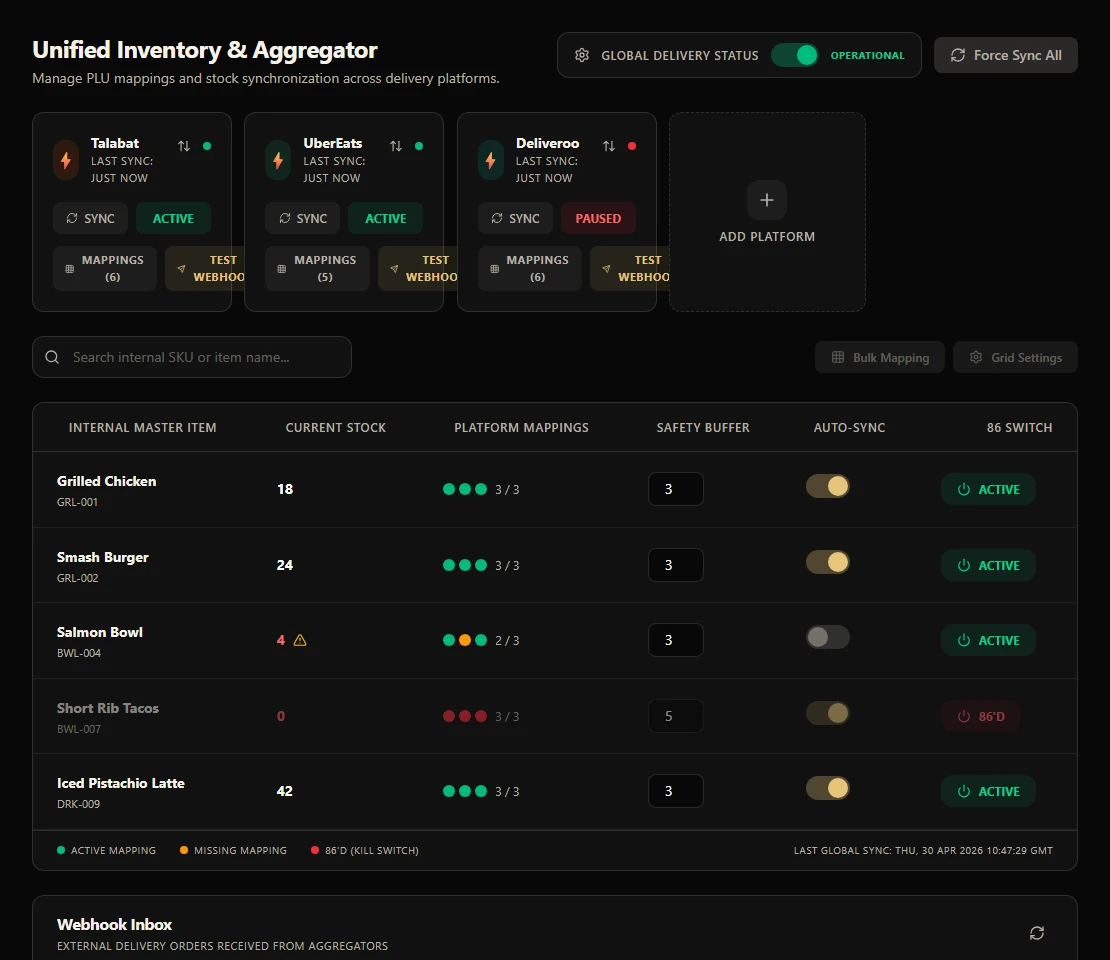
Delivery marketplace integrations are in development. Preview the planned mapping and order-management tools below; confirm provider availability with our team before relying on a connection.
The aggregator hub gives managers platform cards, mapping health, item availability, webhook events, and status pushes without leaving WDPW.
PLU
mapping
86
kill switch
Webhook
inbox
Connect platform
Map PLUs
Sync stock
Receive order
Push status
Explore the day-to-day controls in Aggregator, from setup to service.
Platforms
Platform cards show connection state, mapping health, open order pressure, and whether delivery should stay live.
Platform cards
Connection state
Global pause
Explore Aggregator through product screens. The examples use demonstration data.
Planned platform connections for Talabat, Uber Eats, and Deliveroo; availability unconfirmed
Internal product to external item mapping
Global pause and force-sync controls
Safety buffers and auto-sync toggles
Webhook inbox and replay path
Outbound status push visibility
Ingredient stock, par levels, purchase orders, suppliers, low-stock signals, and menu availability control for kitchen and manager teams.
View moduleUnify dine-in, takeaway, QR, waiter, web, and delivery orders into one operational history with status filters and handoff controls.
View moduleA production screen for preparing, ready, and completed orders with timers, station focus, source labels, and ready-for-pickup handoff.
View moduleOperational reporting across sales, labor, item mix, delivery channels, stock risk, cashier closeout, tax, and branch performance.
View moduleDelivery marketplace connections are in development. The product includes configuration tools, but provider activation and production availability must be confirmed with our team.
The hub includes provider configuration, menu-item mapping and order-information tools. Confirm each provider connection and its availability for your branch before relying on it for orders.
Ask the team for the current provider roadmap. Provider names and configuration screens do not confirm active connections; no launch sequence or date is guaranteed here.
Aggregator setup tools are included from Growth. Actual provider activation and branch availability need separate confirmation.