

All channels

Order Management

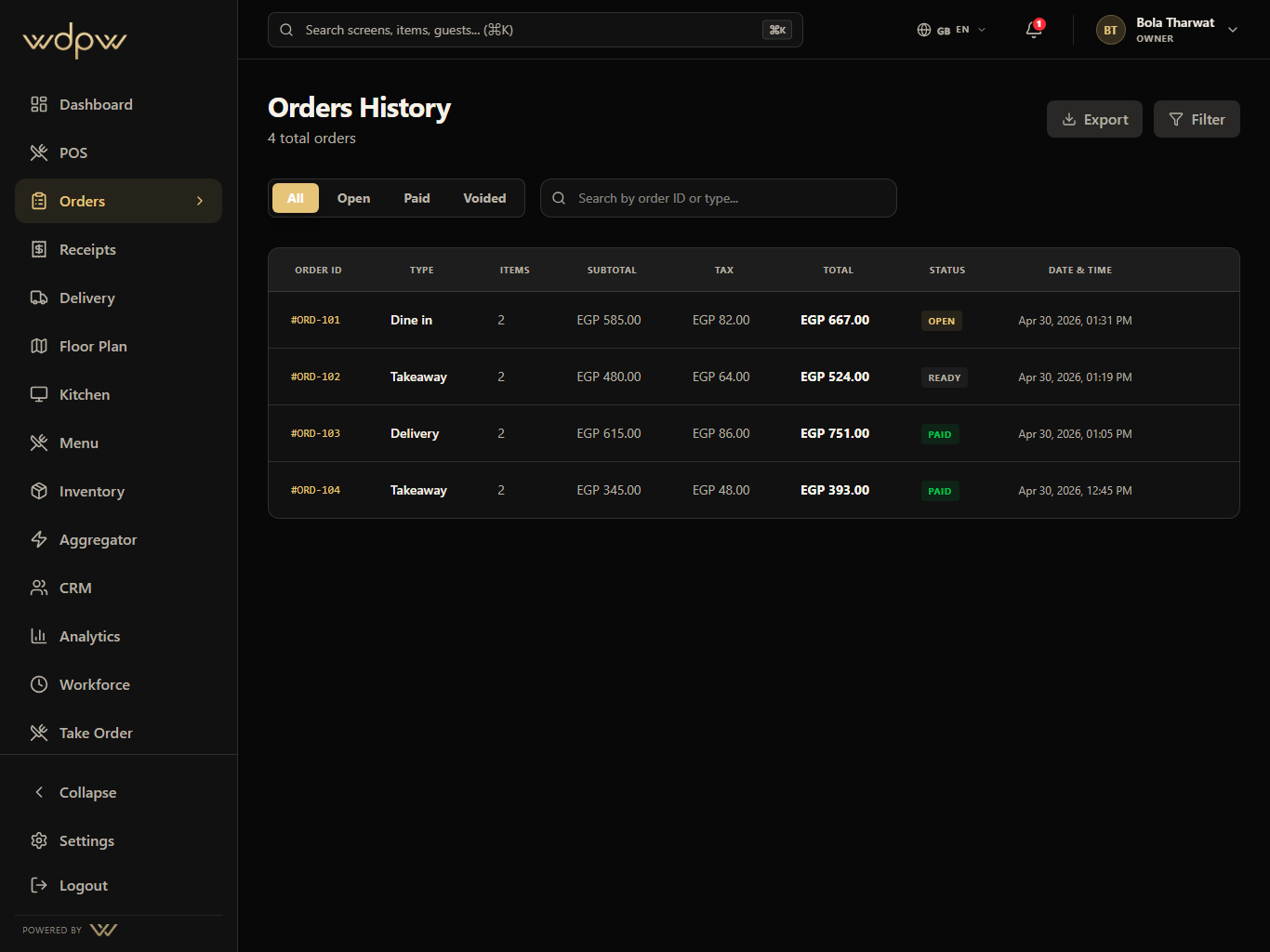
Unify dine-in, takeaway, QR, waiter, web, and delivery orders into one operational history with status filters and handoff controls.

All

channels

Live

status filters

Audit

order history

All channelsiPad landscape
Order Management WDPW app screen
All channelsLive status filtersAudit order history
Why it matters

Show the workflow, then prove the operator outcome.

The orders workspace gives managers a single timeline for open, paid, ready, voided, refunded, delivery, web, and POS-originated checks.

All

channels

Live

status filters

Audit

order history

Flow

A route from staff action to management signal.

1

Accept the order

2

Route the work

3

Track status

4

Resolve payment

5

Review history

Inside the module

Each tab has a job in the actual restaurant workflow.

These are the smaller features hiding inside Orders: the controls buyers ask about after they understand the headline module.

Status

The order board is organized around what staff need next.

Open, paid, ready, voided, refunded, delivery, and all-order filters make it fast to find the right check under pressure.

Open and paid checks

Ready and delivery views

Void and refund audit
Order Management Status workflow
Screen tour

A wider look at the workflow, from main screen to edge state.

Each Orders module pairs the primary screen with deeper app states, captured in iPad landscape with the WDPW site palette applied.

Order Management All-channel order history screen
Capabilities

Built around the real screen your staff will use.

Order Management detailed screen

Open, paid, ready, voided, refunded, and delivery views

Pickup-code search for scan-to-order customers

Kitchen, driver, table, and cashier status context

Order line items, notes, totals, taxes, and fees

Refund and void visibility for manager review

Export-ready history for end-of-day checks

Connected modules

Every subpage points to the rest of the operating system.

Point of Sale

A touch-first POS for menu browsing, modifiers, discounts, open checks, table handoff, payment, refunds, and cashier closeout.

View module

Kitchen Display System

A production screen for preparing, ready, and completed orders with timers, station focus, source labels, and ready-for-pickup handoff.

View module

Aggregator Control

Delivery marketplace mapping, availability sync, webhook inbox, outbound status push, and global delivery controls in one operations hub.

View module

Analytics and Reporting

Operational reporting across sales, labor, item mix, delivery channels, stock risk, cashier closeout, tax, and branch performance.

View module
Next step

Give buyers a real product path, then let sales tailor the rollout.

Book a demo