

Front of house
Point of Sale
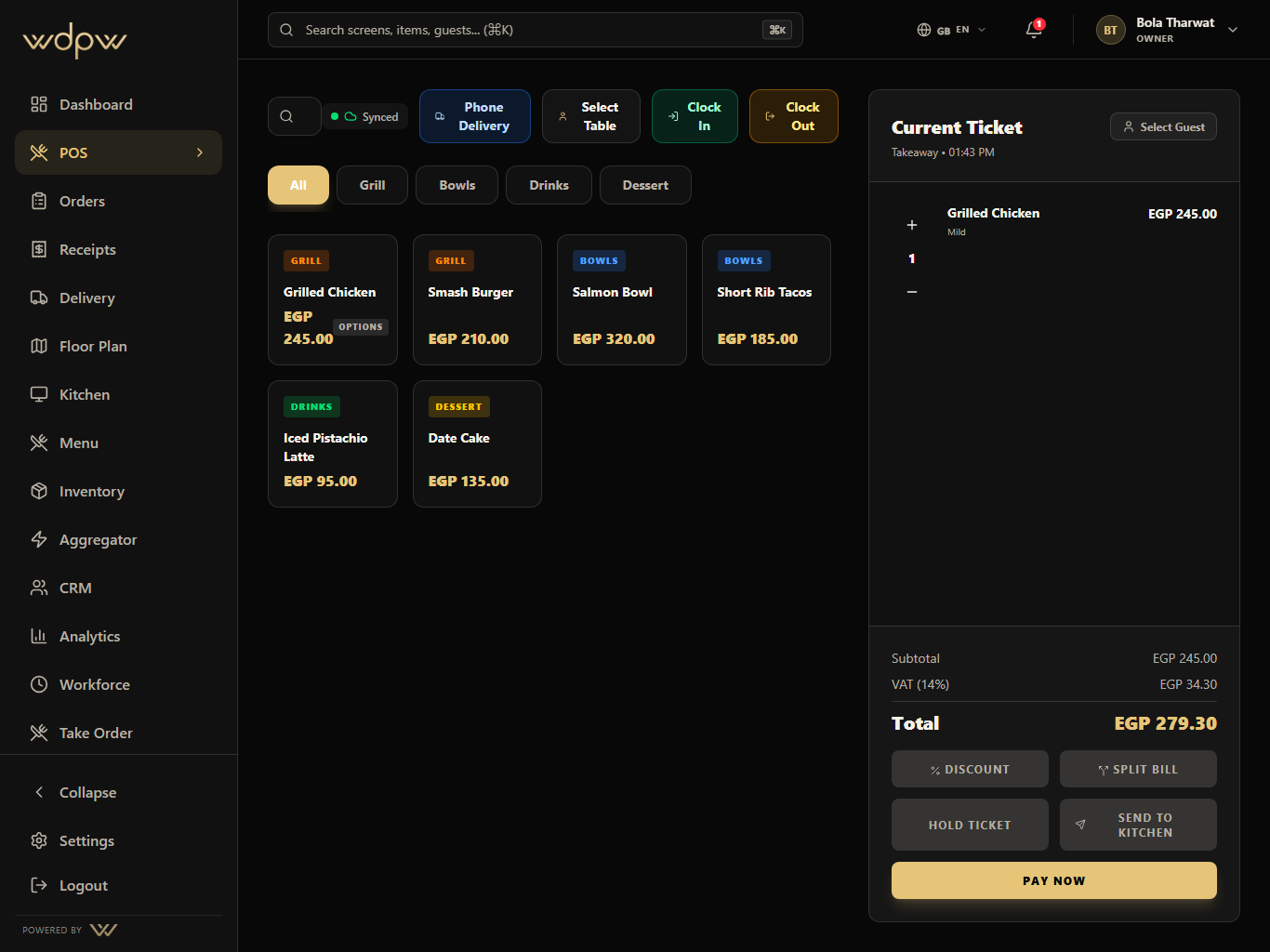
A touch-first POS for menu browsing, modifiers, discounts, open checks, table handoff, payment, refunds, and cashier closeout.
Explore POSWDPW now presents like a complete suite: front of house, kitchen, delivery, inventory, CRM, analytics, brand customization, and branch control all connected by real tablet screens.
10
product subpages
30
iPad product screens
Static
Cloudflare export
The navigation now behaves like a real suite: prospects can start with the workflow they care about, then move into adjacent modules without losing the operating story.
Cashier workflow
The cashier screen keeps menu, order source, table selection, ticket totals, discounts, split bill, and kitchen send in one tablet-first workspace.
A touch-first POS for menu browsing, modifiers, discounts, open checks, table handoff, payment, refunds, and cashier closeout.
Explore POS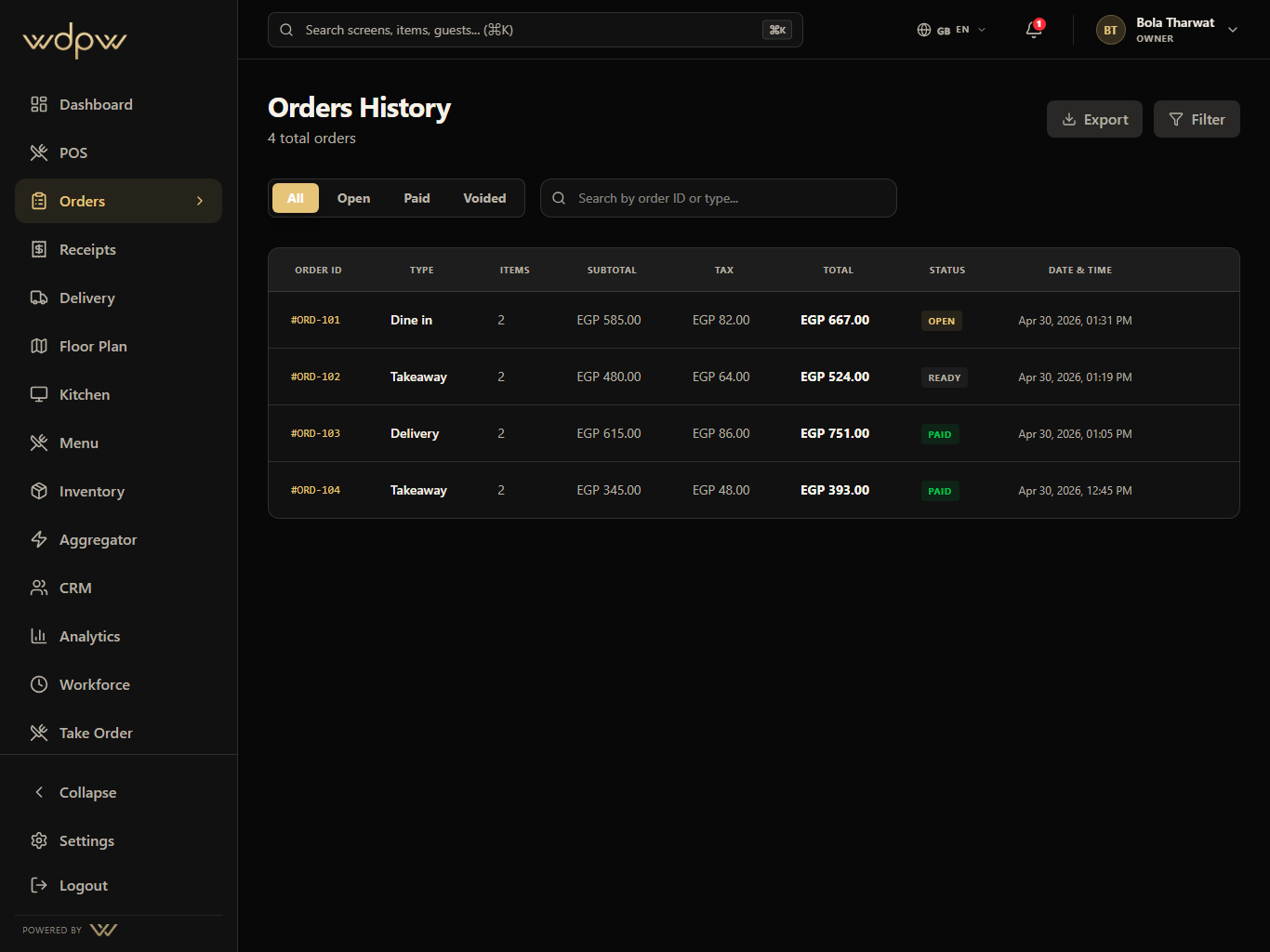
Unify dine-in, takeaway, QR, waiter, web, and delivery orders into one operational history with status filters and handoff controls.
Explore Orders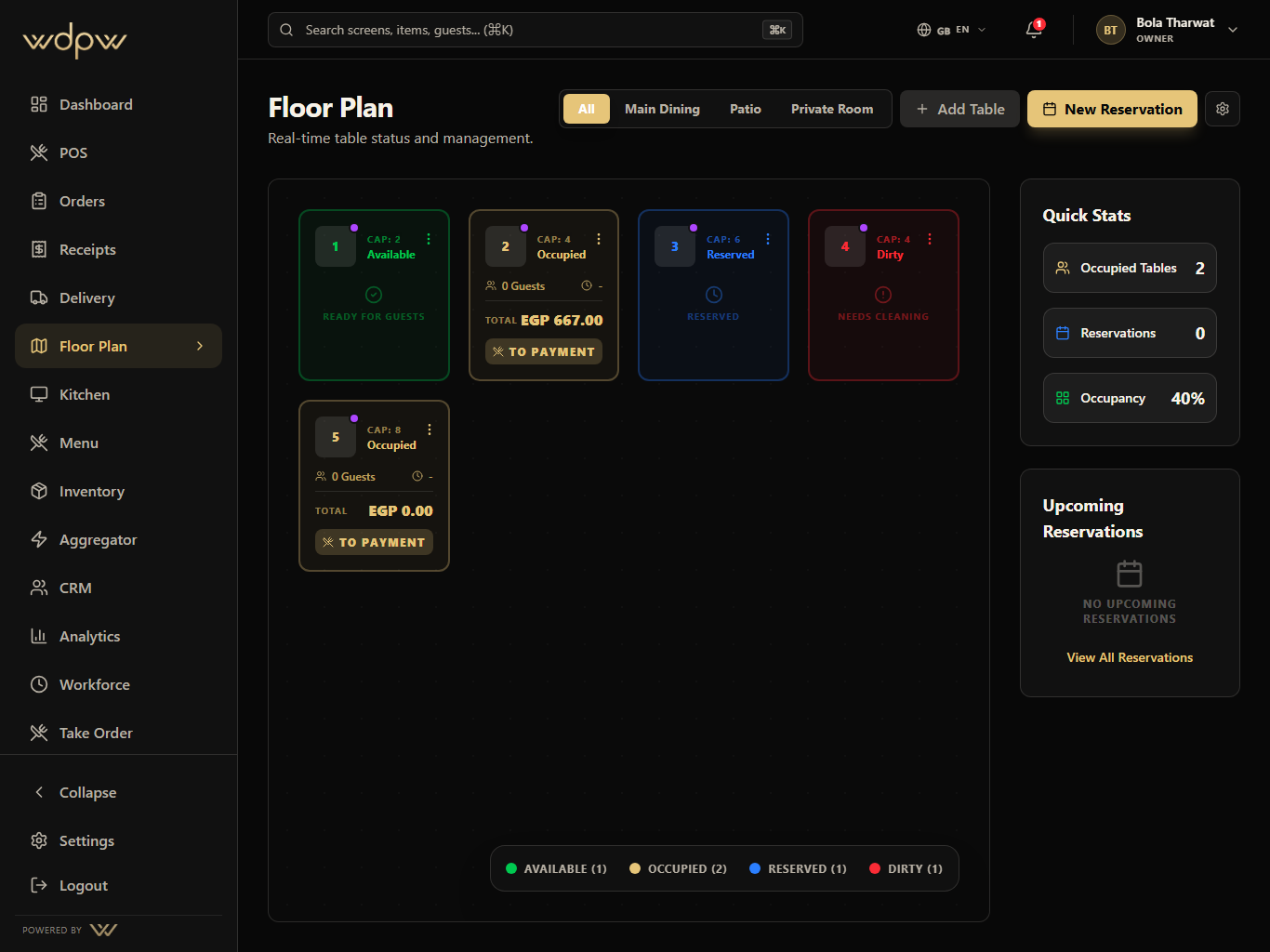
A live table map for occupancy, reservations, active checks, QR codes, waiter handoff, and dining room control.
Explore Floor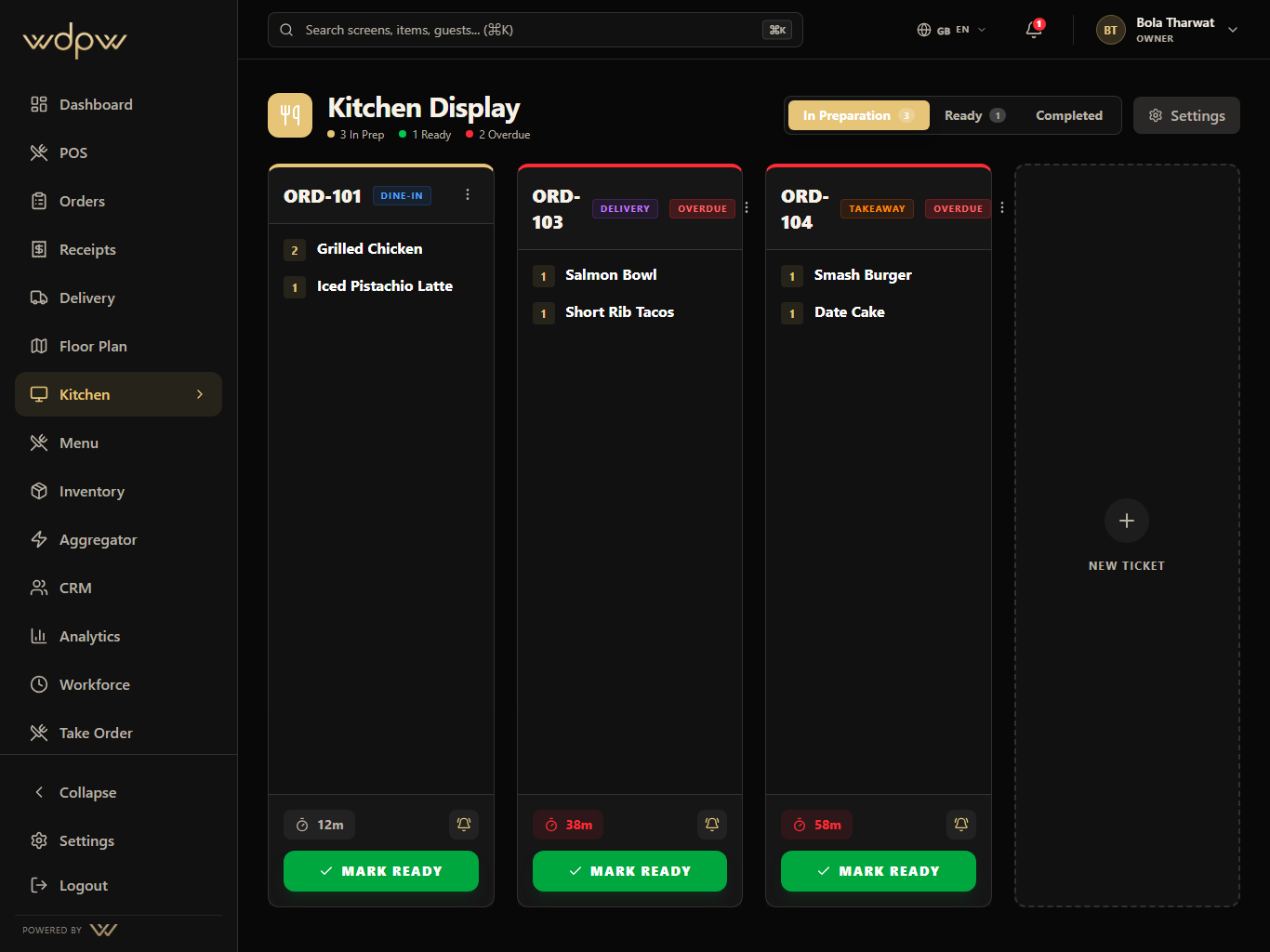
A production screen for preparing, ready, and completed orders with timers, station focus, source labels, and ready-for-pickup handoff.
Explore KDS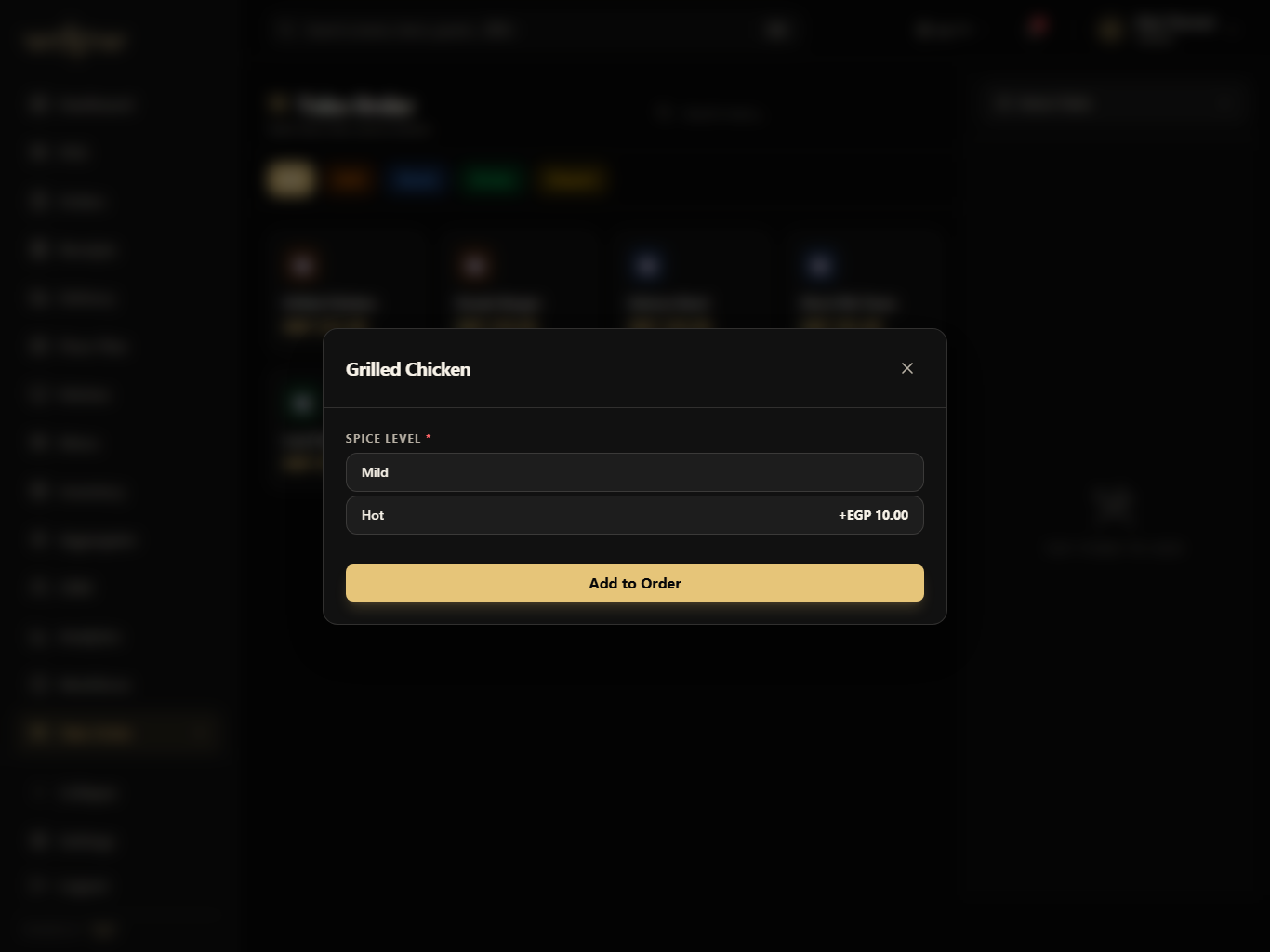
A tablet ordering flow for waiters plus QR-connected table service that sends structured tickets into POS, KDS, and order history.
Explore QR & waiter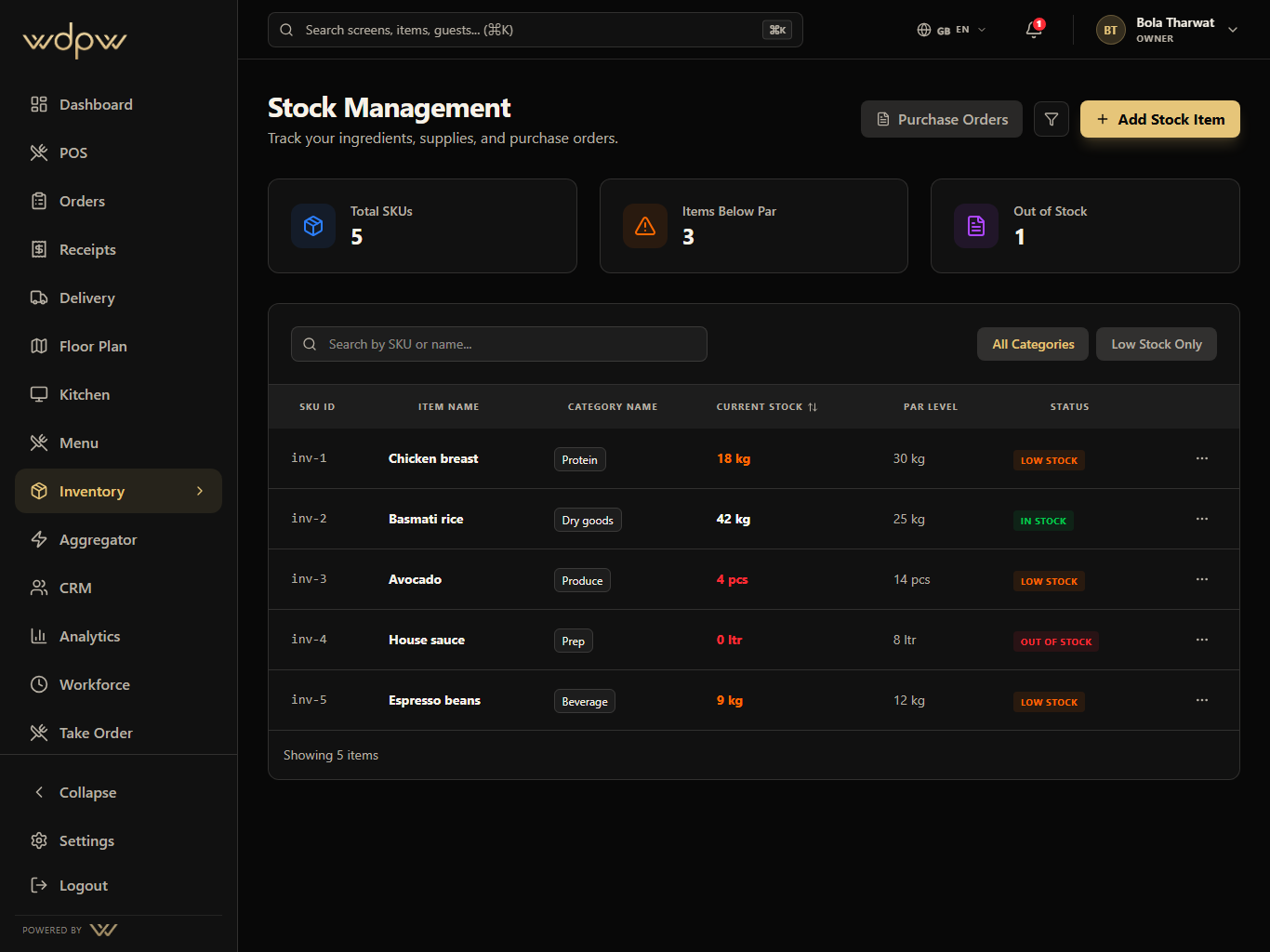
Ingredient stock, par levels, purchase orders, suppliers, low-stock signals, and menu availability control for kitchen and manager teams.
Explore Inventory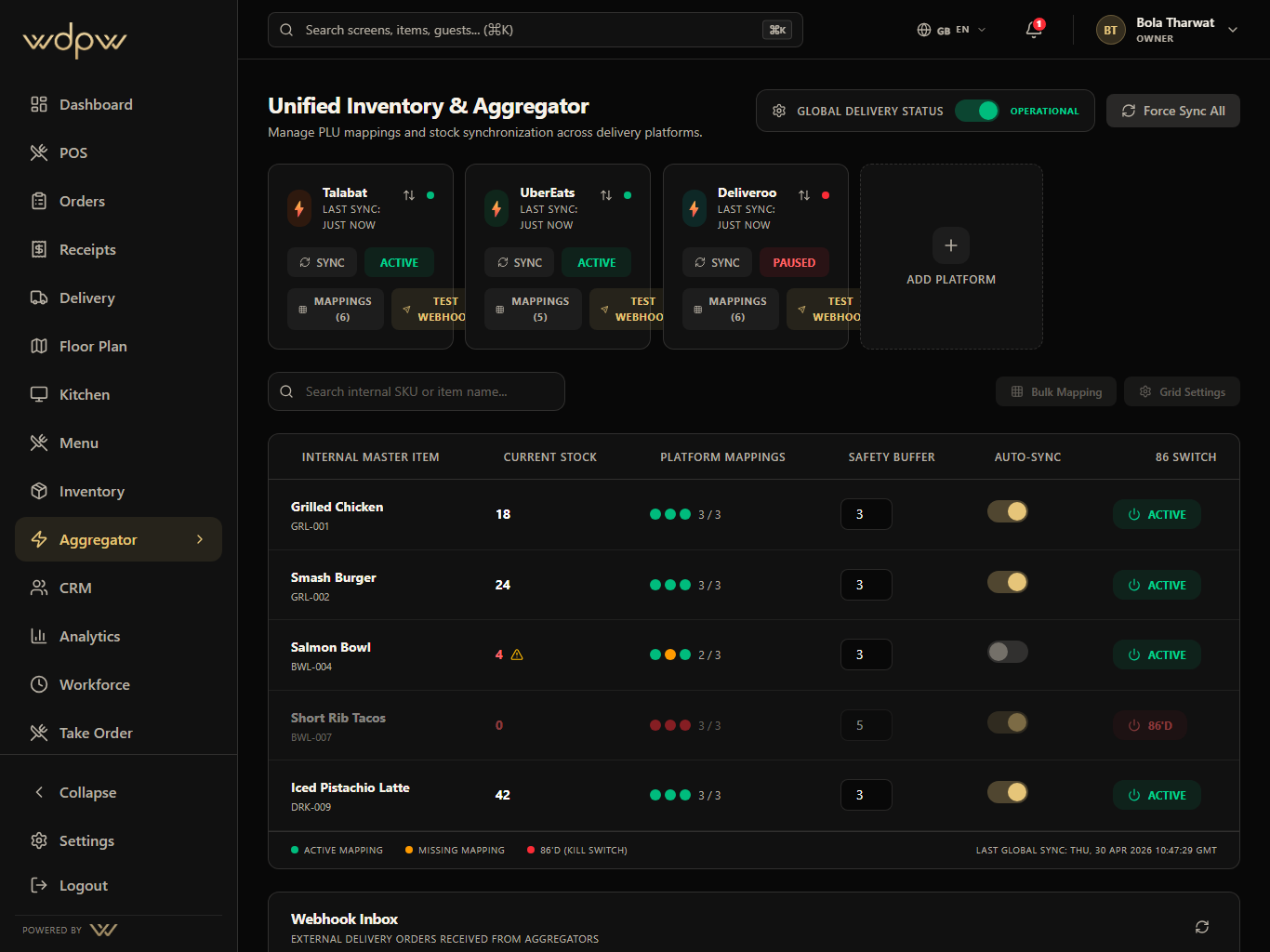
Delivery marketplace mapping, availability sync, webhook inbox, outbound status push, and global delivery controls in one operations hub — built and ready as platform integrations roll out (Talabat first).
Explore Aggregator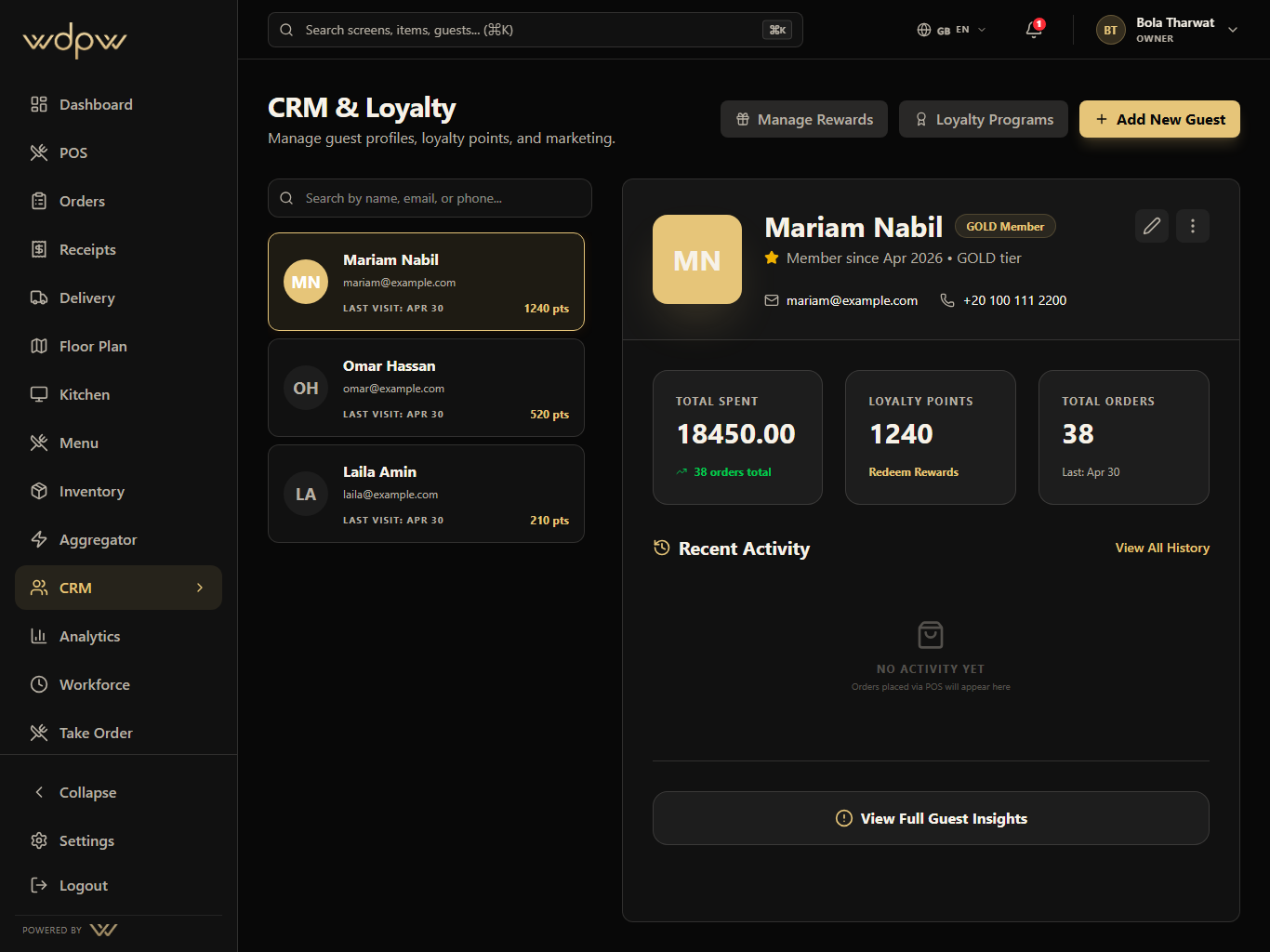
Guest profiles, loyalty points, member tiers, visit history, rewards, and customer context connected to real restaurant orders.
Explore CRM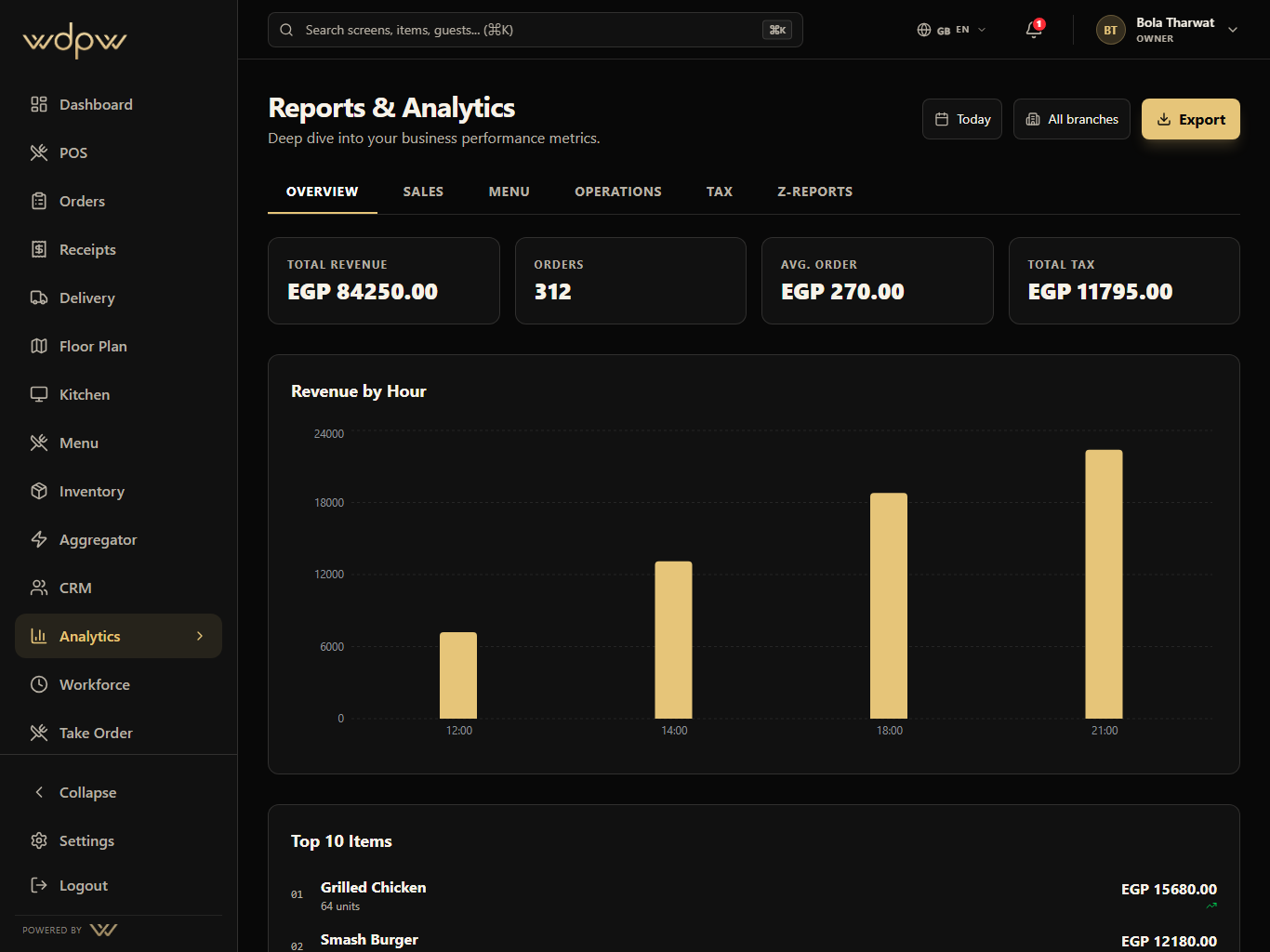
Operational reporting across sales, labor, item mix, delivery channels, stock risk, cashier closeout, tax, and branch performance.
Explore Analytics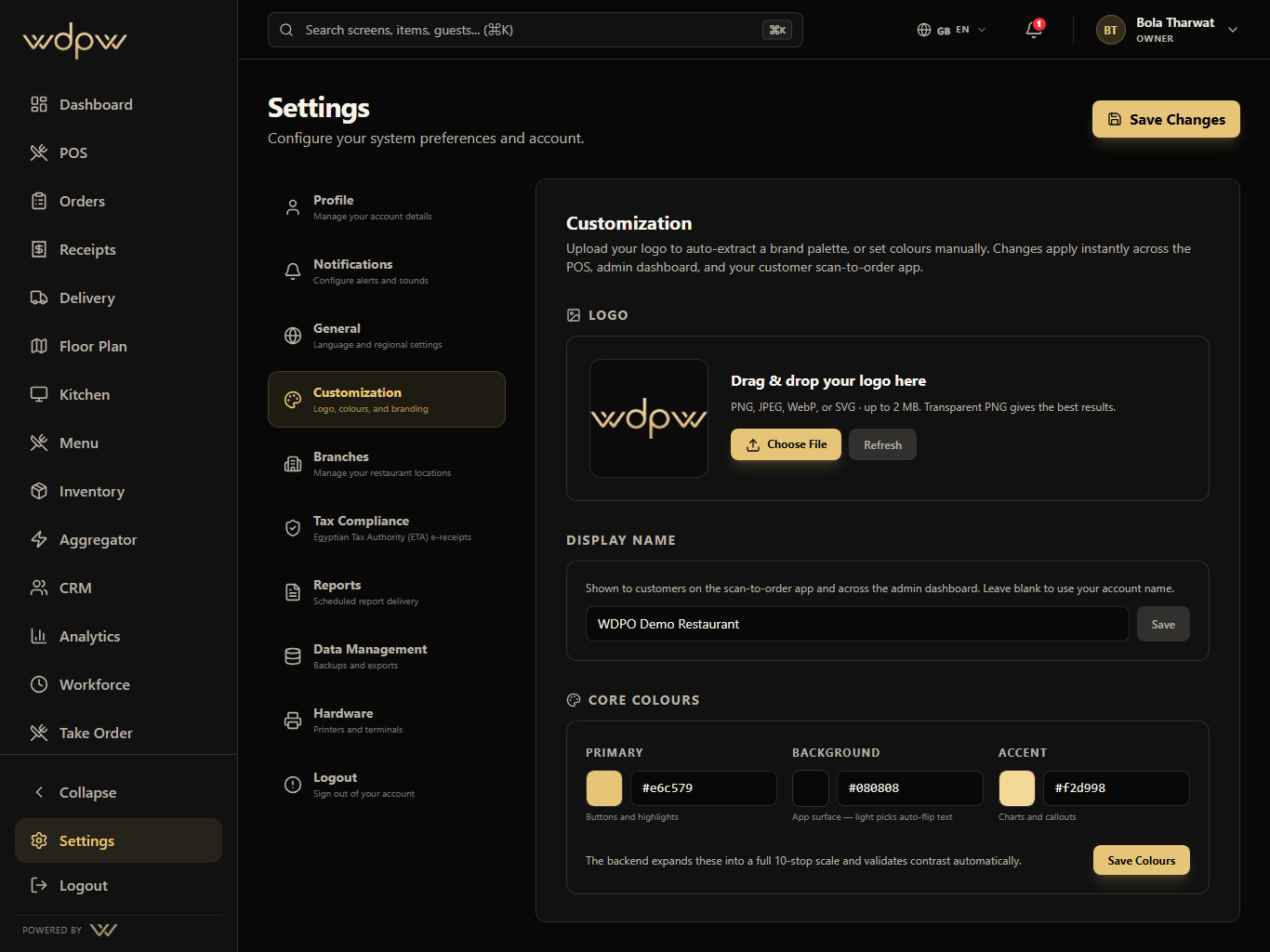
Brand colors, logo upload, branch setup, compliance readiness, scheduled reports, imports, and hardware controls for the account owner.
Explore SettingsPOS, waiter tablet, QR, web, and delivery orders enter one operating model.
Kitchen, cashier, delivery, and floor teams see the right next action.
Stock, guest profile, table state, and delivery channel status update behind the scenes.
Owners get branch, sales, labor, stock, menu, and channel reports from real service data.