

Customization
The brand theme is managed inside the product.
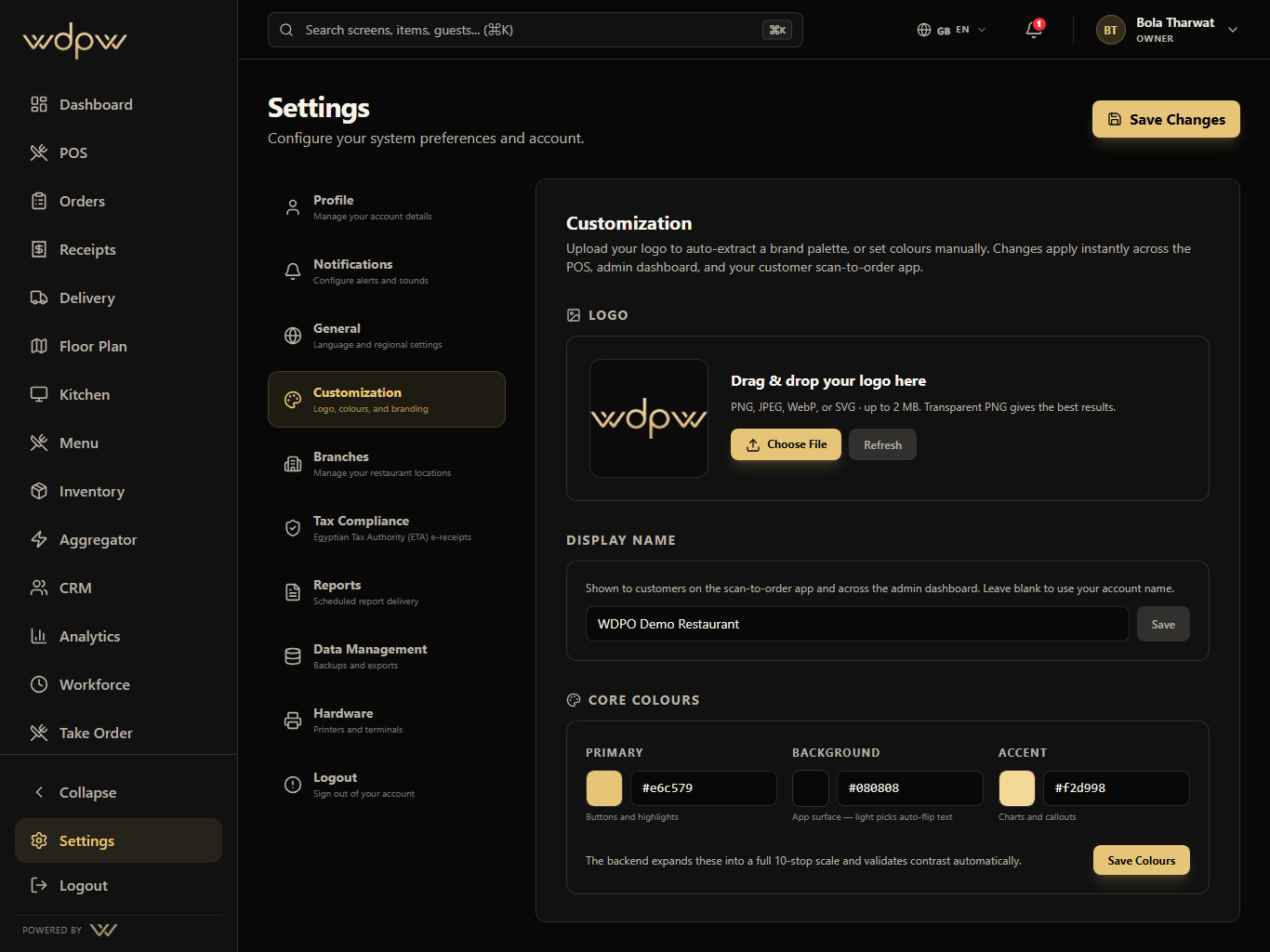
Logo upload, palette extraction, manual colors, contrast checks, display name, and reset controls live in the Customization settings tab.
Logo upload
Brand colors
Contrast report
Brand colors, logo upload, branch setup, compliance readiness, scheduled reports, imports, and hardware controls for the account owner.
Exact
brand colors
Logo
palette extraction
Branch
admin control
The customization screen lets the restaurant apply its own logo, primary color, background, accent, contrast checks, display name, and reset path without touching code.
Exact
brand colors
Logo
palette extraction
Branch
admin control
Upload logo
Tune colors
Preview contrast
Apply theme
Configure account
These are the smaller features hiding inside Settings: the controls buyers ask about after they understand the headline module.
Customization
Logo upload, palette extraction, manual colors, contrast checks, display name, and reset controls live in the Customization settings tab.
Logo upload
Brand colors
Contrast report
Each Settings module pairs the primary screen with deeper app states, captured in iPad landscape with the WDPW site palette applied.
Logo upload with extracted palette preview
Manual primary, background, and accent color controls
Restaurant display name and powered-by preview
Branch settings, takeaway QR, and geofence controls
Compliance readiness and scheduled report settings
CSV/Foodics imports plus hardware device settings
A touch-first POS for menu browsing, modifiers, discounts, open checks, table handoff, payment, refunds, and cashier closeout.
View moduleOperational reporting across sales, labor, item mix, delivery channels, stock risk, cashier closeout, tax, and branch performance.
View moduleIngredient stock, par levels, purchase orders, suppliers, low-stock signals, and menu availability control for kitchen and manager teams.
View moduleGuest profiles, loyalty points, member tiers, visit history, rewards, and customer context connected to real restaurant orders.
View moduleMulti-branch setup, custom staff roles with per-screen permissions, and tax compliance — including ETA e-receipts configuration for Egyptian restaurants.
Yes. WDPW ships role presets (owner, branch manager, cashier, waiter, kitchen, accountant) plus a custom per-employee permission matrix on the Pro plan.
You set a branch tax mode, enter a tax profile and ETA credentials (encrypted at rest), register each branch and terminal, and close the day with an audit-logged flow.
Yes. From the Growth plan, menus, staff, inventory, permissions, and reporting are centralized across branches.