

Stock
Inventory starts with a clear low-stock surface.
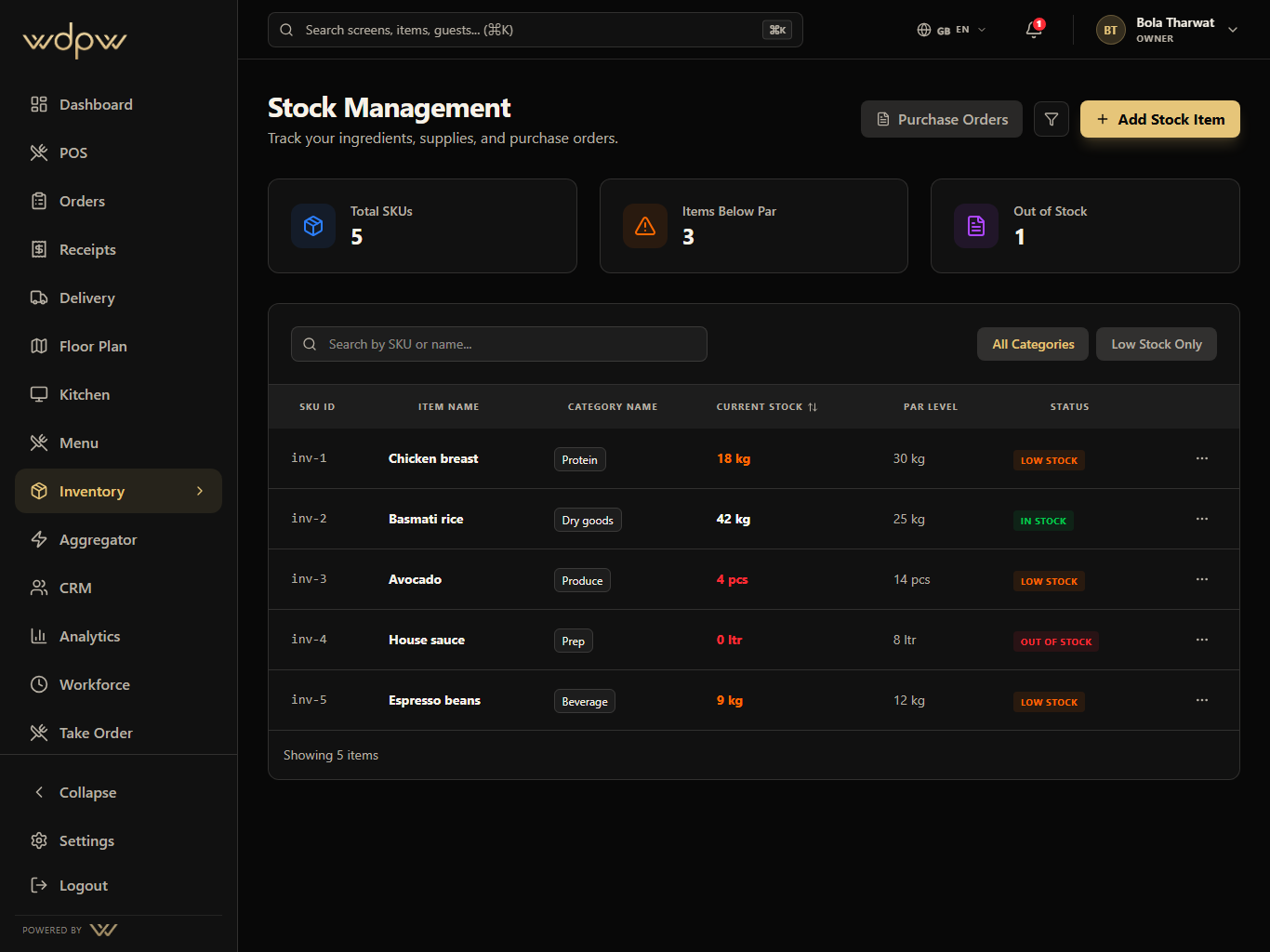
Managers can search ingredients, filter by category, isolate below-par items, and see out-of-stock risk before service.
Search and categories
Below-par filter
Out-of-stock state
Ingredient stock, par levels, purchase orders, suppliers, low-stock signals, and menu availability control for kitchen and manager teams.
Par
level tracking
PO
purchasing
86
item control
The stock screen shows SKU count, low-stock risk, out-of-stock status, category filters, and purchase order actions in a manager-friendly layout.
Par
level tracking
PO
purchasing
86
item control
Count stock
Compare par
Create PO
Receive supplier
Sync availability
These are the smaller features hiding inside Inventory: the controls buyers ask about after they understand the headline module.
Stock
Managers can search ingredients, filter by category, isolate below-par items, and see out-of-stock risk before service.
Search and categories
Below-par filter
Out-of-stock state
Each Inventory module pairs the primary screen with deeper app states, captured in iPad landscape with the WDPW site palette applied.
Ingredient and SKU inventory tracking
Par level, low-stock, and out-of-stock states
Supplier list and purchase order workflow
Stock count updates and restock actions
Category filters for kitchen-friendly scanning
Aggregator availability and menu sync foundation
Delivery marketplace mapping, availability sync, webhook inbox, outbound status push, and global delivery controls in one operations hub — built and ready as platform integrations roll out (Talabat first).
View moduleOperational reporting across sales, labor, item mix, delivery channels, stock risk, cashier closeout, tax, and branch performance.
View moduleA production screen for preparing, ready, and completed orders with timers, station focus, source labels, and ready-for-pickup handoff.
View moduleUnify dine-in, takeaway, QR, waiter, web, and delivery orders into one operational history with status filters and handoff controls.
View moduleStock is tracked per branch. Recipes deduct ingredients on every sale, and par levels flag items as low or out of stock before you run out.
Yes. Perishables can be tracked by batch and expiry using FEFO (first-expired, first-out) so the oldest stock is used first.
Yes. Create, approve, and receive purchase orders, reconciling received quantities against what was ordered before stock updates.
Yes. You can log waste and record inter-branch transfers so on-hand counts stay accurate, with suppliers managed in the same place.