

Sections
The room can be managed as service zones, not a flat list.
Hosts and managers can split the dining room into sections, then scan the layout by zone, capacity, and table shape.
Dining sections
Table capacity
Shape and zone context
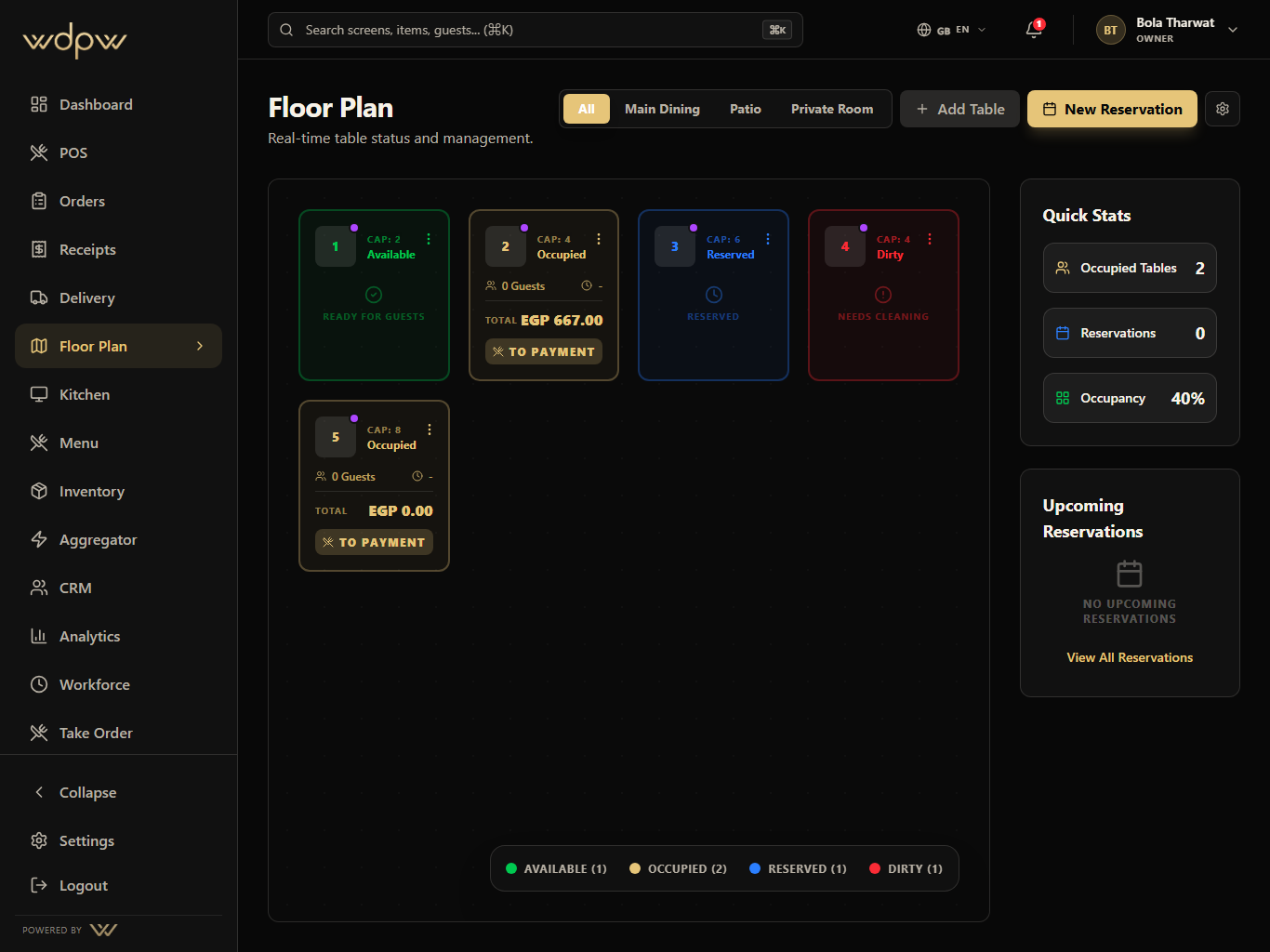
A live table map for occupancy, reservations, active checks, QR codes, waiter handoff, and dining room control.
Live
table state
QR
per table
Seats
capacity view
The table map turns the dining room into an operational screen: open, occupied, reserved, dirty, sectioned, and connected to active checks.
Live
table state
QR
per table
Seats
capacity view
Map the room
Seat guests
Assign service
Load active checks
Free the table
These are the smaller features hiding inside Floor: the controls buyers ask about after they understand the headline module.
Sections
Hosts and managers can split the dining room into sections, then scan the layout by zone, capacity, and table shape.
Dining sections
Table capacity
Shape and zone context
Each Floor module pairs the primary screen with deeper app states, captured in iPad landscape with the WDPW site palette applied.
Dining room sections and draggable table layout
Available, occupied, reserved, and dirty status
Reservations with lead-time table holds and seating
QR generation per table for scan-to-order
Seat count, table shape, and service zone context
Active check lookup from table cards
Waiter and cashier handoff across devices
A tablet ordering flow for waiters plus QR-connected table service that sends structured tickets into POS, KDS, and order history.
View moduleA touch-first POS for menu browsing, modifiers, discounts, open checks, table handoff, payment, refunds, and cashier closeout.
View moduleUnify dine-in, takeaway, QR, waiter, web, and delivery orders into one operational history with status filters and handoff controls.
View moduleOperational reporting across sales, labor, item mix, delivery channels, stock risk, cashier closeout, tax, and branch performance.
View moduleIt's a visual, draggable table map with sections (e.g. Main Dining, Patio) and live table status — available, occupied, reserved, or dirty — so hosts, waiters, and managers read the same room.
Yes. WDPW handles reservations and seating on the floor plan with a booking calendar.
Each table can generate its own QR code from the floor plan, which you can print or download. Guests scan it to order for that table.
Yes. Table status updates live as orders and payments happen, so the room map is always current.