

Point of Sale
Tabs, quick reorders, and check splitting
Explore Point of SaleA bar runs on open tabs, fast reorders, and clean check splits at close. WDPW opens and holds tabs across a visit, rings the next round in a couple of taps, splits checks by item or evenly, and deducts stock on every pour — on tablets you already own, and it keeps working offline.
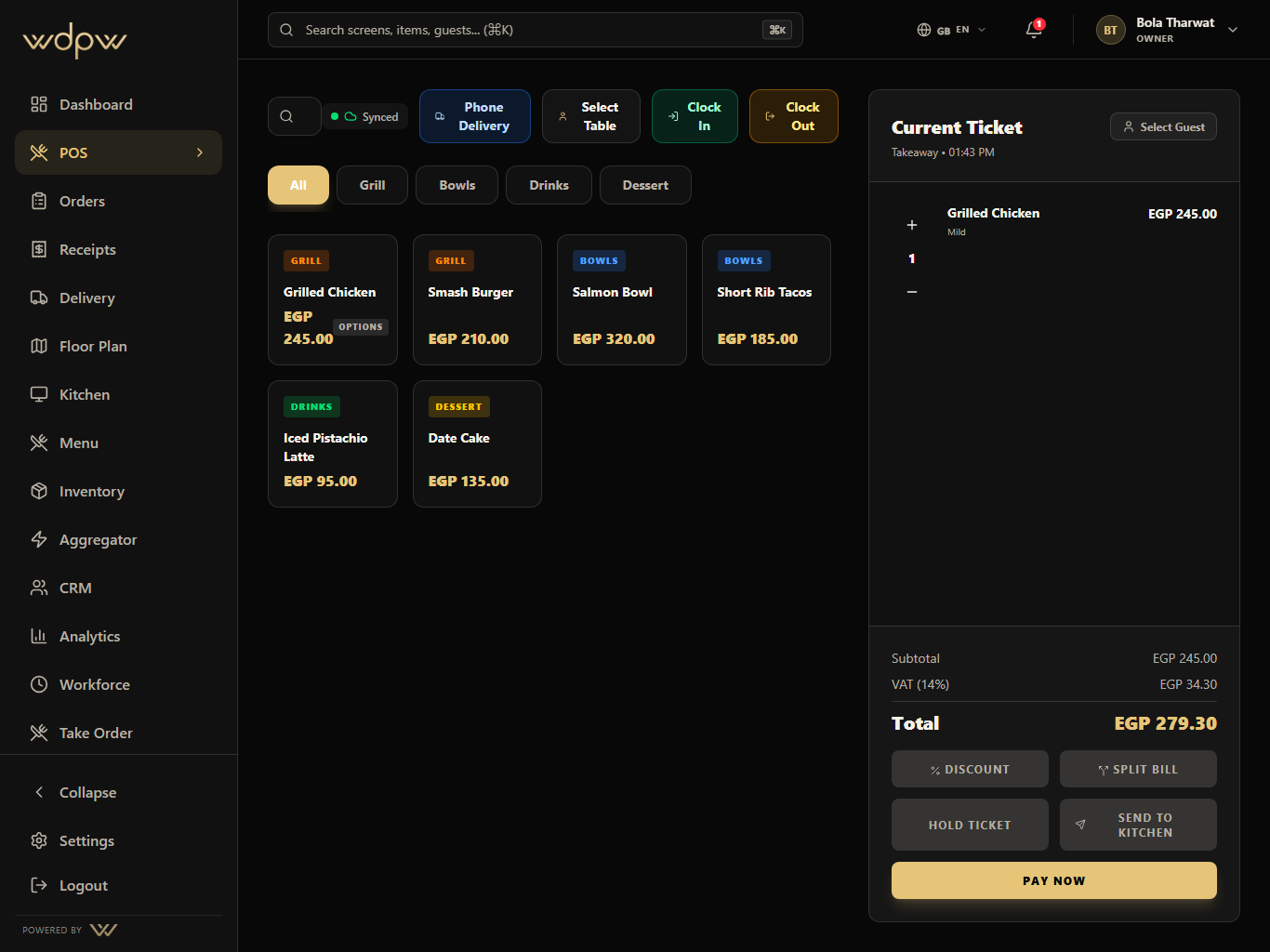
Open tabs
Hold checks across the whole visit
Quick reorders
Ring the next round in a couple of taps
Clean splits
Split by item or evenly at close
A bar is a speed-and-trust business. Guests run tabs, order round after round, and split the bill at the end — often several ways. Behind the bar, every pour is stock leaving the shelf. A POS that's slow to reorder, clumsy at splitting, or blind to inventory costs you both speed and margin.
WDPW is built for that pace. Open a tab, hold it across the visit, ring quick reorders, and split cleanly at close — while inventory quietly tracks what's being poured.
Guests keep an open check across a visit, and the POS has to hold and recover it reliably.
Rounds repeat, so ringing the next one has to be near-instant.
Groups split several ways at the end, and doing it by hand is slow and error-prone.
Every drink is inventory leaving the shelf; untracked pours quietly erode margin.
Open a tab, hold it across the visit, and recover open checks from a previous session — nothing gets lost.
Quick reorders and a touch-first layout ring the next round in a couple of taps.
Split a check by item or evenly, and take a separate payment for each split.
Recipes deduct stock as drinks sell, with par levels and low-stock alerts on your key bottles.
No proprietary hardware, no per-cashier fees, and offline-ready so service never stops.
Open a tab for the guest or table.
Ring each round with quick reorders; the tab is held across the visit.
Stock deducts by recipe as drinks are poured.
At close, split the check by item or evenly.
Settle each split, and see best-sellers and peak hours in analytics.
Tabs, quick reorders, and check splitting
Explore Point of SaleDeduct stock on every pour, with par alerts
Explore Inventory and PurchasingRecognize regulars and reward them
Explore CRM and LoyaltyBest-sellers and busiest hours
Explore Analytics and ReportingThe best bar POS opens and holds tabs, rings fast reorders, splits checks cleanly, and tracks stock on every pour. WDPW does all of this on tablets you own, offline-ready, from EGP 15,000/year.
Yes. You can open a tab, hold it across the visit, and recover open checks from a previous session so nothing is lost.
Yes. Split a check by item or evenly and take a separate payment for each split, with a receipt for each.
Yes. Recipes deduct ingredients as drinks sell, and par levels with low-stock alerts help you keep key bottles in stock.