

Point of Sale
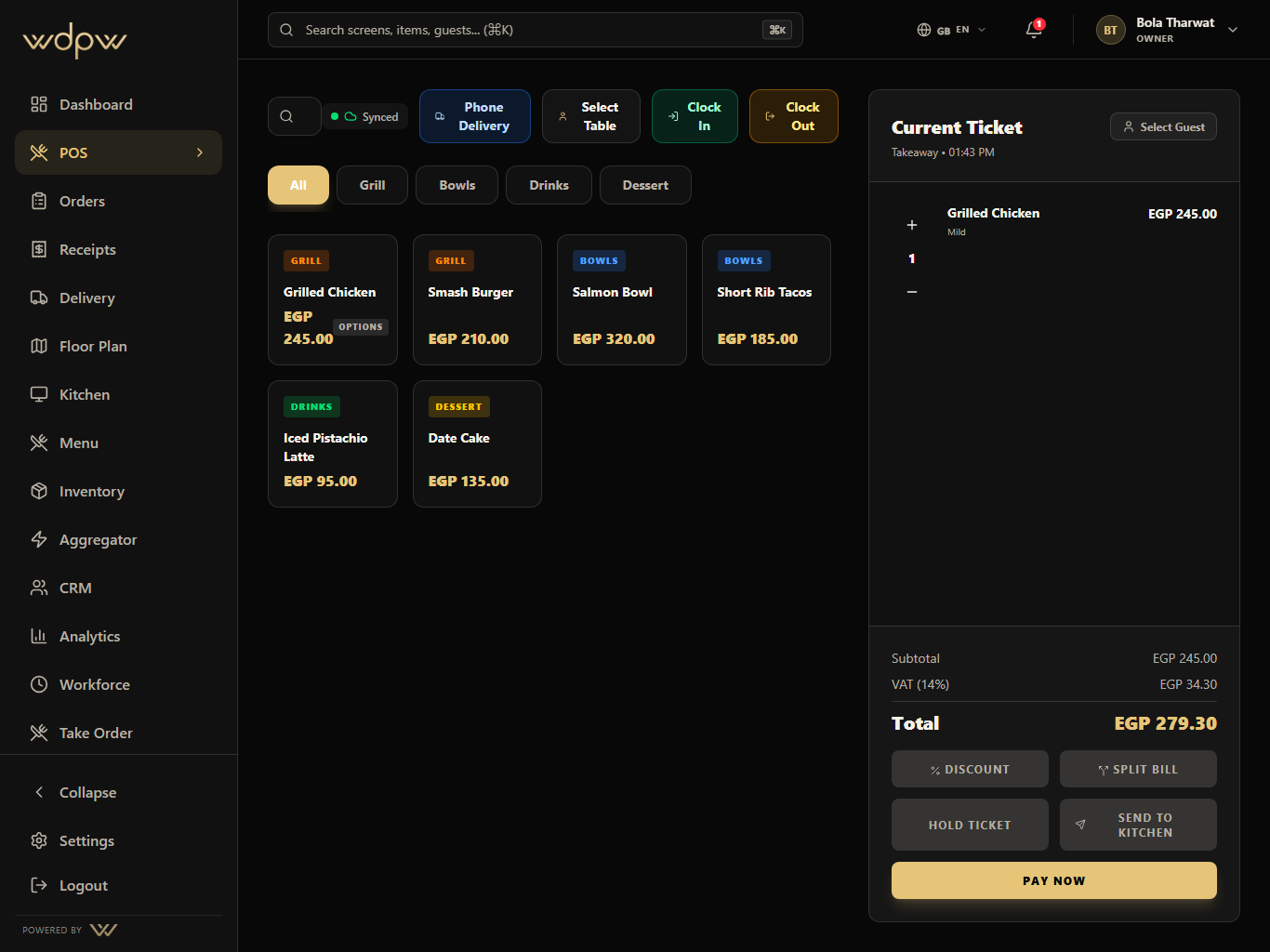
Touch-first checkout with four service modes and offline capture
Explore Point of SaleA restaurant POS is the system that takes orders, sends them to the kitchen, and collects payment. WDPW goes further: one cloud platform that unites point of sale, kitchen display, QR and WhatsApp ordering, inventory, loyalty, delivery-aggregator orders, and analytics — running on devices you already own, with an offline mode that keeps you selling through an outage.
4
Service modes: dine-in, takeaway, delivery, QR pickup
0
Proprietary hardware required — use your own devices
Offline
POS and kitchen display keep working through outages
Most restaurants run four to six disconnected tools: a POS, a separate kitchen screen, a QR-ordering app, delivery-aggregator tablets, inventory spreadsheets, and a payroll system that never talks to any of them. Every gap between those tools is a place where an order, a number, or a shift gets lost.
WDPW replaces that stack with one connected system. An order that enters at the counter, on a QR code, over WhatsApp, or from a delivery channel lands in the same place, fires to the same kitchen display, deducts the same inventory, and shows up in the same end-of-day report — no re-keying, no reconciliation.
Sales live in the POS, stock in a spreadsheet, and delivery orders on a stack of aggregator tablets. Closing the day means stitching numbers together by hand.
Traditional POS vendors sell you their hardware and charge per cashier terminal, turning a simple counter into a five-figure commitment before you sell anything.
When the internet or power flickers, a cloud-only POS goes dark and the line stops moving.
Each location edits its own menu and prices, so head office never sees one consistent picture.
Egyptian operators need ETA-compliant electronic receipts and an immutable end-of-day record — not an afterthought bolted on later.
POS, kitchen display, QR and WhatsApp ordering, inventory, recipes, CRM and loyalty, the delivery-aggregator hub, workforce, and analytics share one database. Change a price once and it's right everywhere.
Any iPad, Android tablet, or web browser. No proprietary terminals, no per-cashier license fees, and unlimited POS devices on every plan.
The POS and kitchen display capture orders locally during an internet or power outage and sync automatically the moment connectivity returns.
ETA-ready electronic receipts and immutable Z-reports with cash-variance reconciliation, registered per branch and per terminal.
Centralize menus, staff, inventory, permissions, and reporting across locations, and compare branch performance from one dashboard (Growth plan and up).
An order enters anywhere — counter POS, QR code, WhatsApp, kiosk, or a delivery channel.
WDPW builds the ticket with modifiers and notes and routes it to the right kitchen display.
The kitchen fires, times, and bumps the ticket; the cashier or waiter is notified when it's ready.
Inventory deducts by recipe and the guest's loyalty points update automatically on payment.
The sale lands in analytics and the immutable Z-report for a clean, ETA-ready close.
Touch-first checkout with four service modes and offline capture
Explore Point of SaleDigital prep lanes replace paper kitchen tickets
Explore Kitchen Display SystemScan-to-order, kiosk, and WhatsApp ordering
Explore Waiter and QR OrderingRecipes auto-deduct stock as you sell
Explore Inventory and PurchasingLoyalty points, tiers, and guest profiles
Explore CRM and LoyaltyDelivery-aggregator orders in one queue (rolling out)
Explore Aggregator ControlSales, menu, and Z-reports across every branch
Explore Analytics and ReportingA restaurant POS (point of sale) is the software that takes orders, sends them to the kitchen, and processes payment. Modern cloud systems like WDPW also handle inventory, loyalty, delivery orders, staff, and reporting from the same platform.
WDPW is billed annually in EGP: Starter 15,000, Growth 25,000, and Pro 35,000, with a custom Enterprise quote. There are no per-cashier license fees, no setup fees, and no hardware to buy.
No. WDPW runs on any iPad, Android tablet, or web browser you already own, plus a native Android app. You can run unlimited POS devices on every plan.
Yes. The POS and kitchen display keep taking and preparing orders during an internet or power outage and sync automatically when connectivity returns.
Yes. From the Growth plan up, WDPW centralizes menus, staff, inventory, permissions, and reporting across locations and lets you compare branch performance from one dashboard.
Yes. WDPW issues ETA-ready electronic receipts and immutable Z-reports, registered per branch and per terminal.
Yes. Paste your Foodics API token and WDPW imports your menu, modifiers, customers, and inventory in under an hour. You can run both systems in parallel and typically go live within 24 hours.